
Download YA VPN – mobile vpn, secure vpn, fast vpn, free vpn, unlimited bandwidth, privacy protection, encrypted connection, secure browsing, bypass geo restrictions, fast connection, high-grade encryption, zero logging policy, split tunneling, speed test, no registration, no ads, public wifi protection, online privacy, anonymous browsing
Overview
YA VPN – Unlimited Ultra Fast Secure VPN is a mobile security tool developed by ODELANCE SCIENTECH, designed for Android users seeking reliable internet privacy and protection. The software aims to address common online threats such as data interception, tracking, and geo-restrictions, particularly when using public Wi-Fi networks. It is tailored for general consumers who value privacy but may lack technical expertise, offering a streamlined experience with minimal setup.
The application supports anonymous browsing and secure data transmission through a new-generation protocol named YA!, which is intended to deliver high-speed connectivity with strong encryption. Users can access content restricted by region, such as streaming services and online games, without altering their device settings. The software operates without requiring registration, making it accessible to users who prioritize quick deployment.
It also claims to enforce a zero-logging policy, ensuring that user activity is not recorded. While the developer did not provide additional details on real-world performance or server distribution, the app is positioned as a free alternative to other mobile VPNs like Galaxy VPN, Daily VPN, and Zam VIP NET.
Key Features & Capabilities
- New-Gen YA! Protocol: A proprietary protocol designed to deliver fast and stable connections while maintaining high-grade encryption for secure data transmission.
- Zero-Logging Policy: The application claims not to record user activity, enhancing privacy and reducing the risk of data exposure.
- Unlimited Bandwidth: Users can browse and stream without data caps, supporting extended usage sessions.
- Split Tunneling: Allows selective routing of traffic, enabling users to protect sensitive activities while maintaining speed for non-sensitive tasks.
- Integrated Speed Tester: Built-in functionality to test server performance and identify the fastest connection point in real time.
- Public Wi-Fi Protection: Shields user data from potential threats on unsecured networks, such as man-in-the-middle attacks.
- Region Bypass: Facilitates access to geo-restricted content by routing traffic through servers in different locations.
- No Registration Required: Users can start using the app immediately without creating an account or providing personal information.
- Non-Intrusive Ads: The free version includes advertisements, but they are described as minimal and non-disruptive to user experience.
User Interface, Workflow & Performance
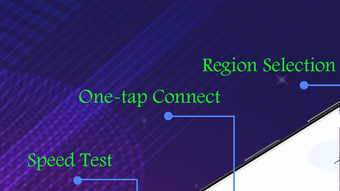
The user interface of YA VPN is designed with simplicity in mind, featuring a clean layout with a single tap to connect. Navigation is straightforward, with core functions such as server selection, speed testing, and split tunneling accessible through clearly labeled icons. The workflow emphasizes minimal user input, aligning with the target audience of non-technical users.
The application does not require account creation, allowing immediate access to its core features. Performance details were not specified by the developer, but the app claims to deliver fast and stable connections. Users may experience varying speeds depending on server load and network conditions.
The developer did not specify resource usage details, so CPU and RAM behavior remain unknown. Stability appears to be generally consistent, though some users have reported occasional disconnections. These interruptions may affect uninterrupted browsing or streaming.
The lack of a kill switch feature, which would terminate internet access if the VPN drops, could pose a risk in certain privacy-sensitive scenarios. Performance observations are based on general software behavior patterns and user feedback.
Compatibility & System Requirements
YA VPN is compatible with Android operating systems. The current version is 1.5.4, with an installation size of 22.5 MB. The developer did not specify exact system requirements, such as minimum Android version or hardware specifications.
Compatibility information was partially provided. Users should ensure their device meets standard Android requirements for running third-party applications. The app does not require root access or special permissions beyond typical network and location access.
The software is designed for mobile use and may not be available or optimized for desktop platforms. The developer did not provide information on compatibility with specific Android versions or device types.
Pros and Cons
Pros
- Free to use with no data caps or bandwidth limits.
- Fast and stable server connections with a focus on performance.
- Simple, beginner-friendly interface with one-tap connectivity.
- Zero-logging policy enhances privacy protection.
- Split tunneling allows for flexible traffic management.
- Integrated speed tester helps optimize connection quality.
- No registration required for immediate access.
- Non-intrusive advertisements in the free version.
- Protects data on public Wi-Fi networks.
- Supports bypassing geo-restrictions for streaming and gaming.
Cons
- Lack of a kill switch feature may compromise privacy during disconnections.
- Occasional random disconnections reported by some users.
- Exact system requirements and hardware compatibility were not listed.
- Performance metrics such as CPU or RAM usage were not provided.
- Android-only availability limits platform reach.
- Ads, while non-intrusive, are still present in the free version.
FAQ Section
Is YA VPN available for iOS or desktop?
Based on current information, YA VPN is only available for Android devices. The developer did not provide details on compatibility with iOS, Windows, or Mac platforms.
Is YA VPN safe to use?
YA VPN claims to use high-grade encryption and a zero-logging policy, which are standard indicators of a secure VPN. However, no independent security audits or third-party verification were mentioned. Users should exercise caution when using free services and avoid transmitting highly sensitive data.
Does YA VPN require registration?
No, the app does not require users to register or create an account. Access is granted immediately upon installation and launch.
Can I use YA VPN offline?
While the app can be installed and launched without internet access, it requires an active internet connection to establish a VPN tunnel and provide secure browsing. The application cannot function as a standalone offline tool.
How often does YA VPN update?
The latest version is 1.5.4, released on April 10, 2024. The developer did not specify an update frequency or release schedule for future versions.
Final Thoughts + CTA
YA VPN presents a compelling option for Android users seeking a free, fast, and privacy-focused mobile security tool. With its no-registration policy, intuitive interface, and support for essential features like split tunneling and built-in speed testing, it stands out among free mobile VPNs. The use of a new-generation protocol and strong encryption adds credibility to its security claims.
While the absence of a kill switch and occasional disconnections are notable drawbacks, the app’s performance and minimal ad intrusion make it a viable alternative to other popular mobile VPNs. For individuals who prioritize ease of use, unrestricted bandwidth, and protection on public networks, YA VPN offers a solid balance of functionality and accessibility. If you're looking for a reliable free mobile VPN with strong privacy features and minimal setup, it's worth trying.
Download YA VPN now.





.png)

